Features
Plan, Coach, Workouts, and Data in one app, with Garmin sync, Apple Health on iPhone, and manual logging.
Tab
Plan
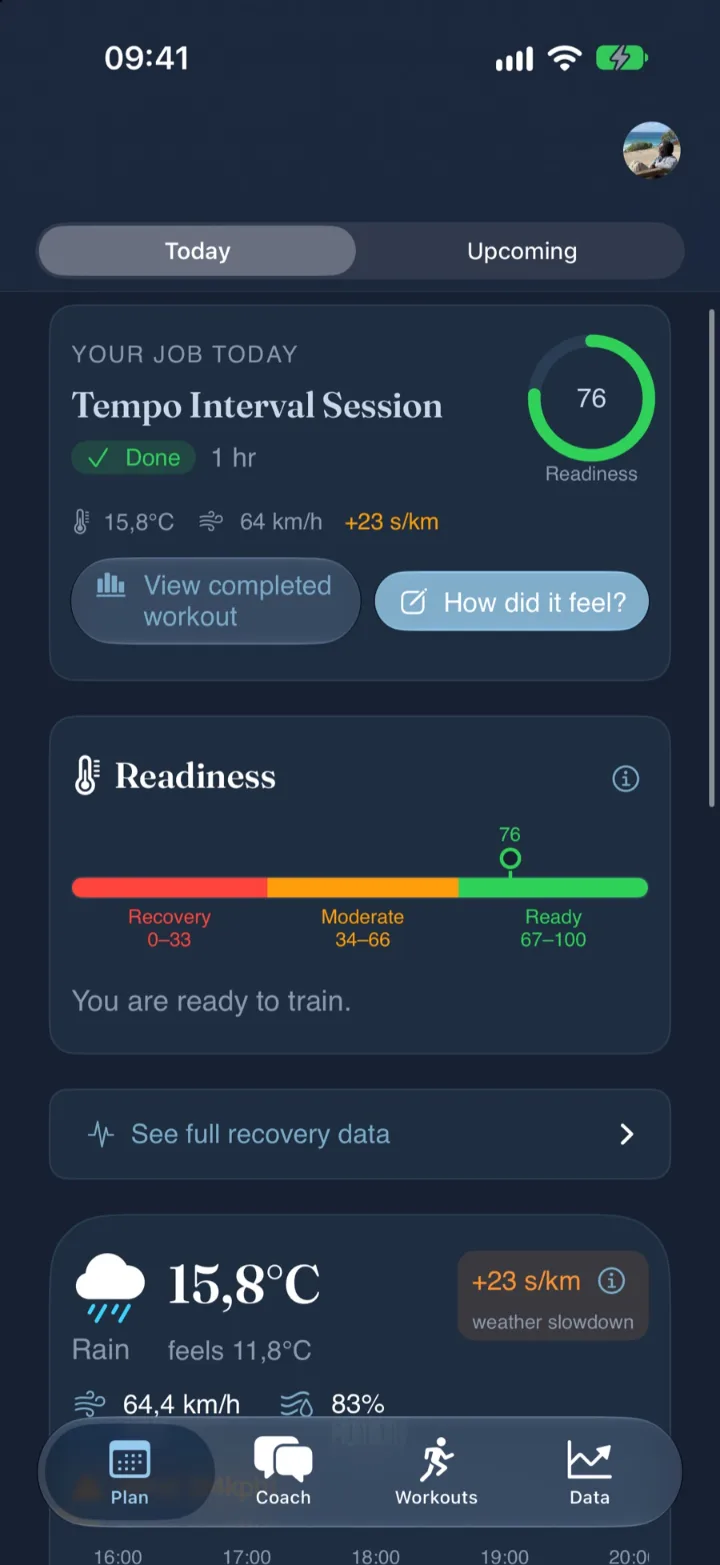
- Shows. Today’s job, then the seven-day schedule under Upcoming.
- Details. Readiness from 0 to 100, with a plain-language read. Weather slowdown for wind and heat. Coach adjustments explain every change.
- Works with. Structured workouts go to your Garmin watch or your Apple Watch.
- Look closer. Readiness, scored 0 to 100.
Tab
Coach
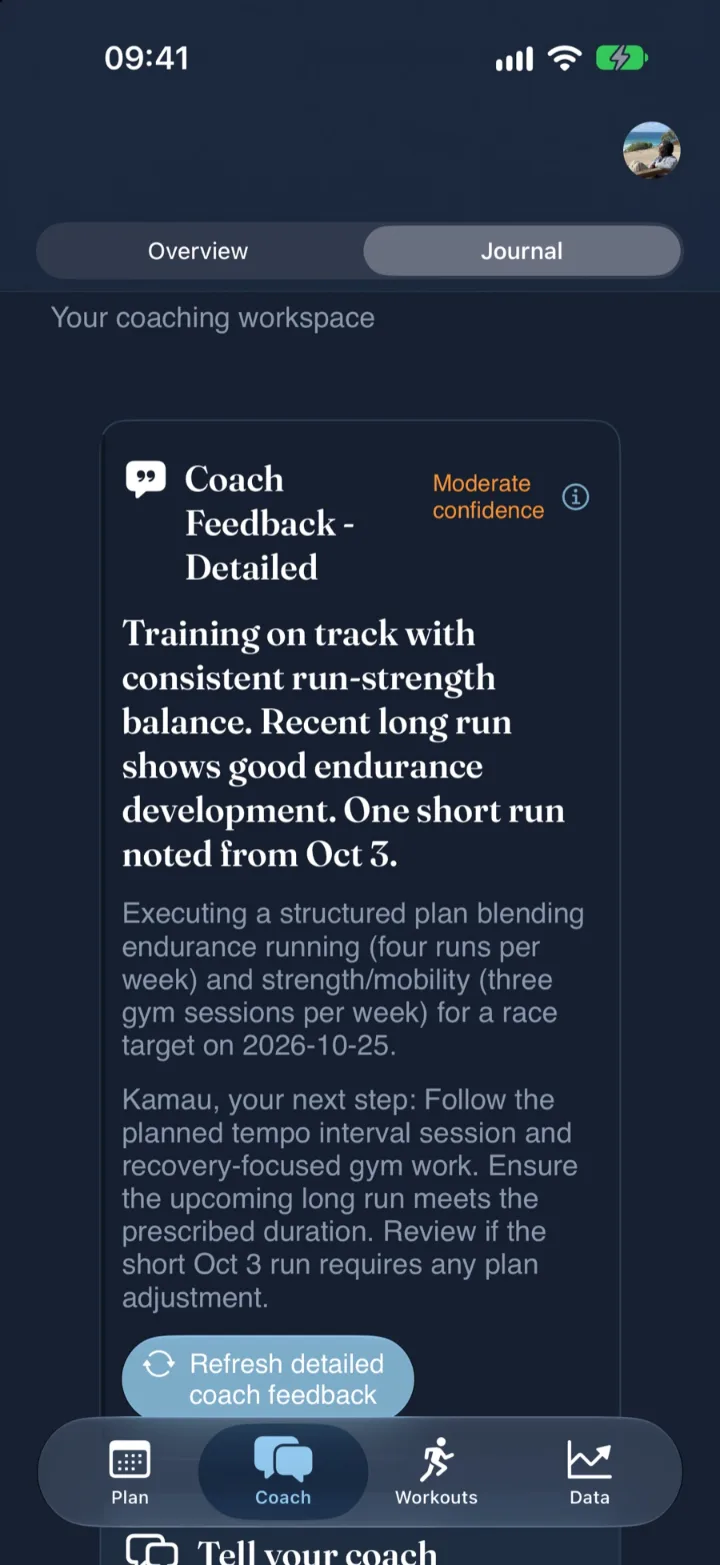
- Shows. A coaching summary with your current focus and next step.
- Details. A journal of check-ins and adaptation choices. Detailed post-run feedback, so you know why this week looks the way it does.
- Works with. Every session you run or log.
- Look closer. Feedback labelled with a confidence level.
Tab
Workouts
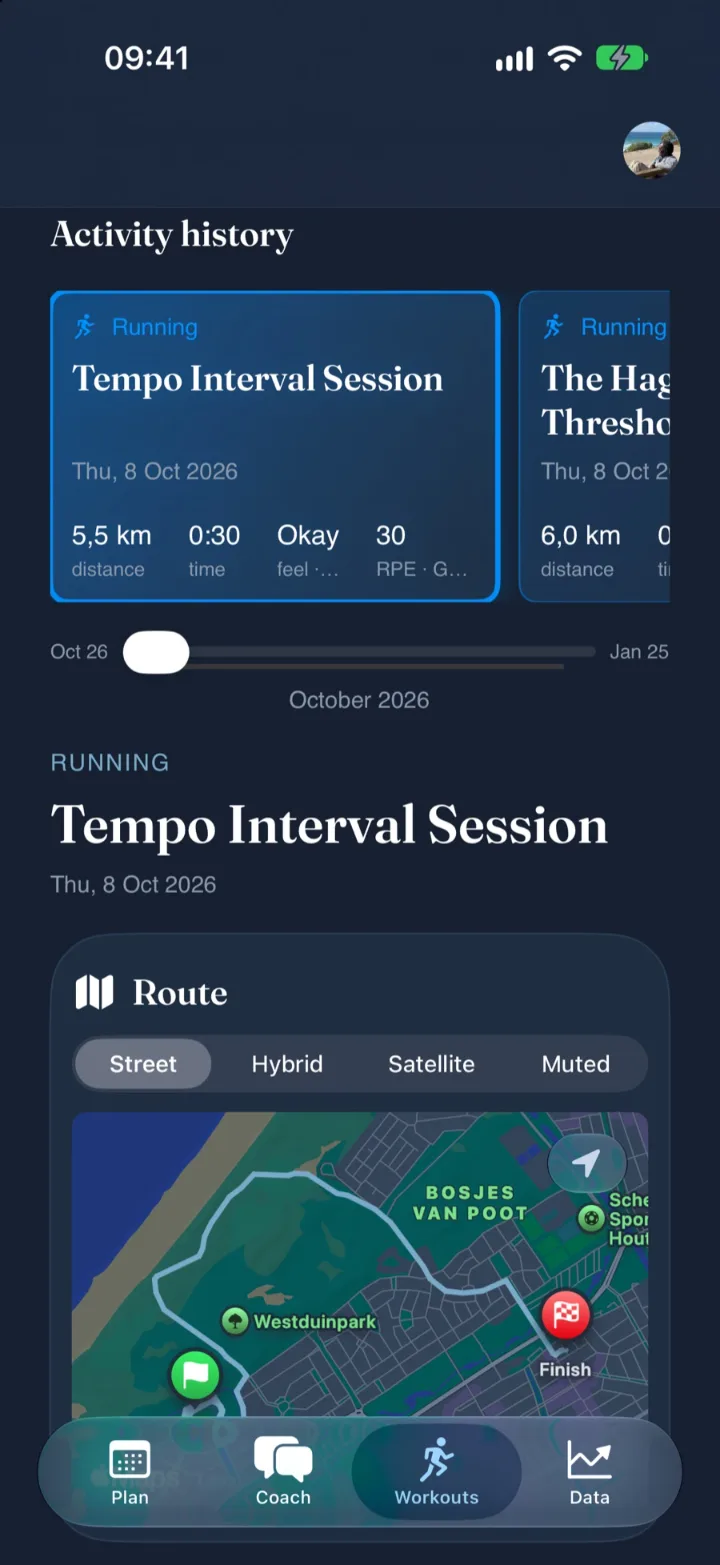
- Shows. Your activity history; any session opens with distance, time, feel and effort.
- Details. Statistics, intervals, charts and a workout log for each session.
- Works with. Garmin activities sync automatically. No watch? Log by hand.
- Look closer. The route, in street, hybrid, satellite or muted map styles.
Tab
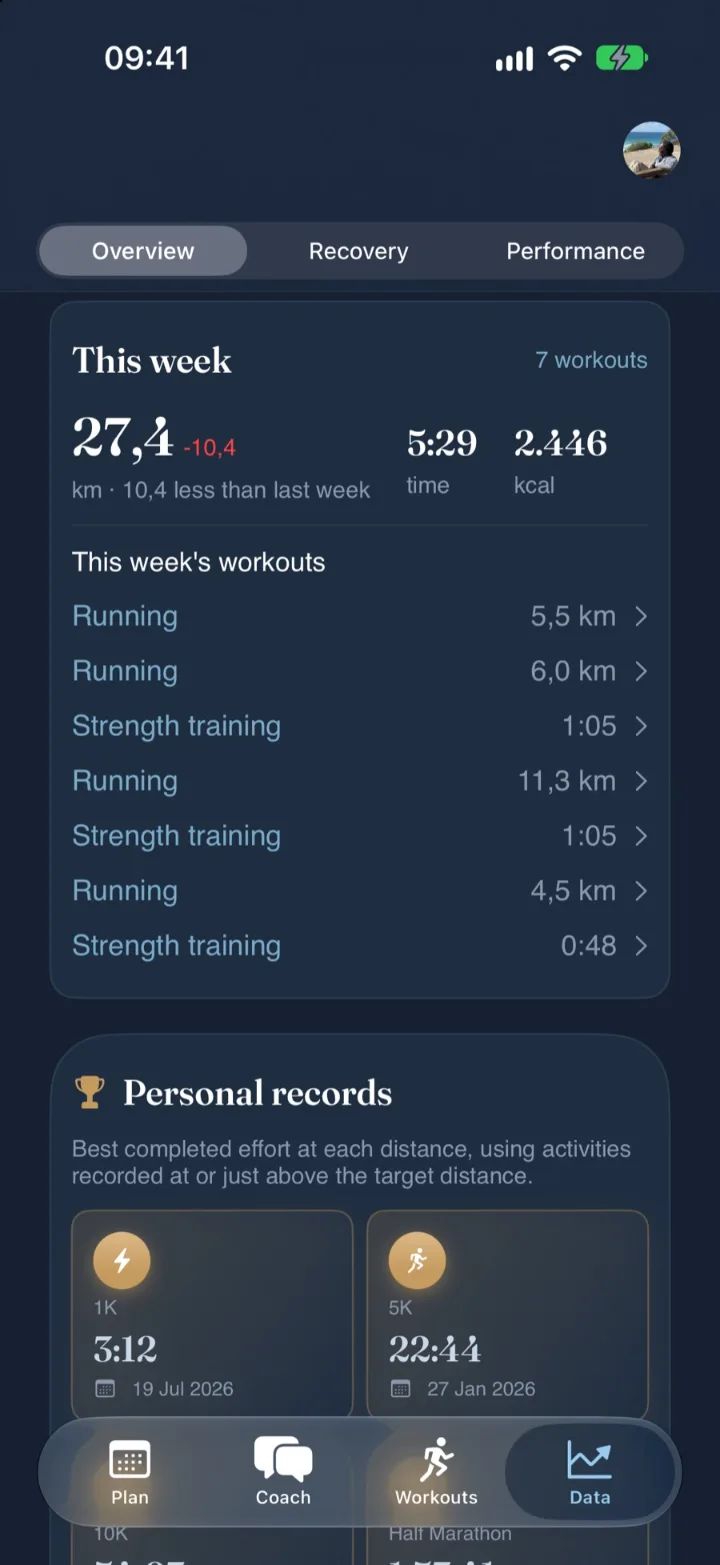
Data
- Shows. This week’s distance and workouts, each measurement clearly labelled. Rewards stay private.
- Details. Recovery: training readiness, HRV, sleep and Body Battery over 7 to 365 days. Performance: running economy, cadence, stride length and vertical oscillation.
- Works with. Garmin, Apple Health on iPhone, and manual logs.
- Look closer. Personal records and predicted race times.
Connect the sources you use. All of them are optional.
Coaching lives in your BORGCoach account. Data sources are optional extras you attach to it, and you can start without any of them.
Garmin Connect
Status. Available now.
Brings. Activities, sleep, HRV, training status, body composition, devices, badges, and gear.
How. Syncs automatically every 30 minutes.
Manual logging
Status. Always available.
Brings. Complete, modified, or skipped sessions with effort, feel, pain, and notes.
How. No watch needed. Coaching works from day one.
Apple Health
Status. Available on iPhone.
Brings. Read-only activity, sleep, recovery, and fitness signals that inform BORGCoach across your signed-in devices.
How. You control permissions in iPhone Settings. Always optional.
BORGCoach app
Available. iPhone, iPad and Mac. Free on the App Store and the Mac App Store.
Coming. Android on Google Play.
Get it. Download on the App Store, or see BORGCoach for Mac.